

Income Tax Filing
Foreign Assets? Avoid These ITR-2 Mistakes in 2025
Why Foreign Assets Complicate ITR FilingOwning a bank account in Dubai, shares in the US, or a flat…
 Vikash Kumar
·
17/02/2026
·
3 min read
Vikash Kumar
·
17/02/2026
·
3 min read
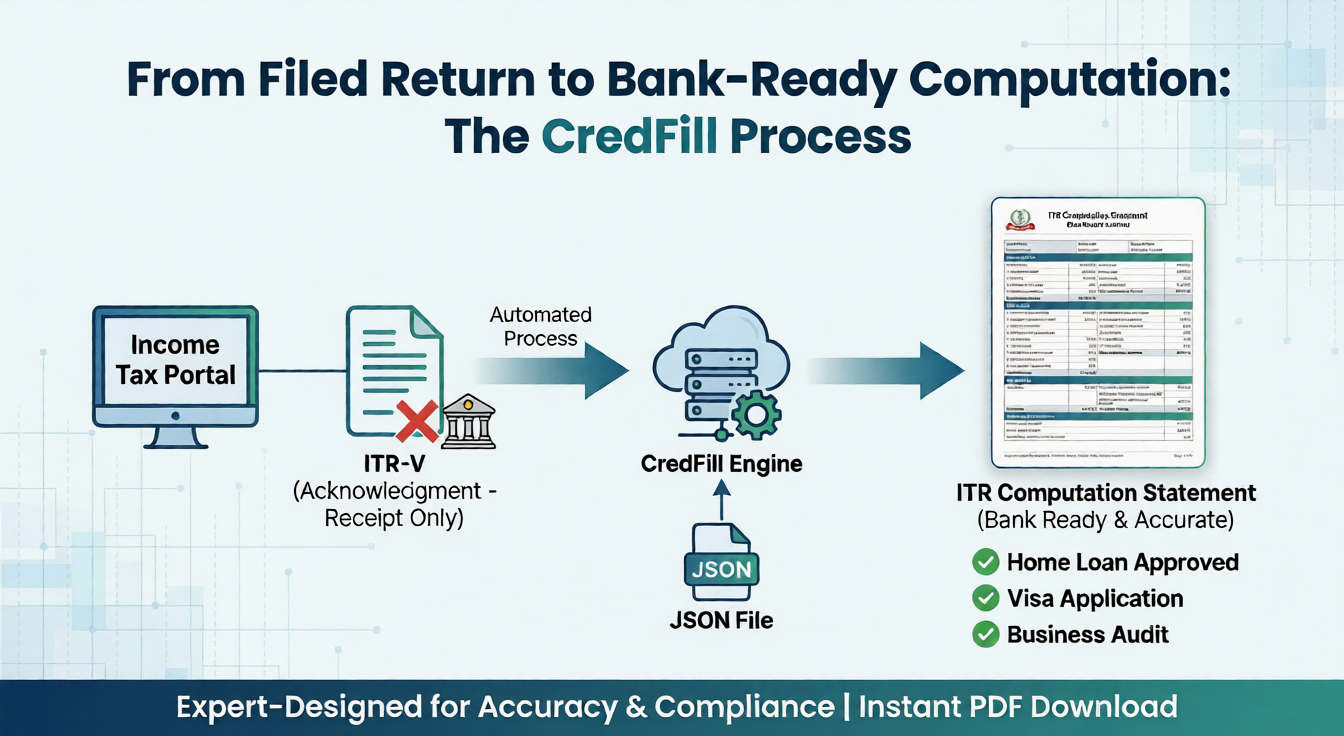
When banks, NBFCs or visa officers ask for “ITR computation” or “ITR computation and acknowledgement”, most people are confused about what this document actually is. This guide explains ITR computation meaning, how to download it from the income tax portal, and how to Download ITR Computation Pdf online.
ITR computation is the detailed calculation sheet that shows how your total income and income tax have been computed under different heads like salary, house property, business, capital gains and other sources. It breaks down gross income, deductions, taxable income and final tax liability in a clear, line‑by‑line format.
Many taxpayers search “difference between ITR and computation of income” or “difference between ITR acknowledgement and computation” because these three documents look similar at first glance.
When a bank writes “submit ITR and computation of income for last 3 years”, they are asking for the full filed ITR (or acknowledgement) plus the detailed ITR computation sheet or PDF for each year.
If you search for “how to get ITR computation” or “how to download ITR and computation”, you usually want the official copy from the e‑filing portal. Here is the general process for AY 2025‑26:
This process works whether you filed ITR‑1, ITR‑2, ITR‑3 or ITR‑4; the main difference is what details appear inside the computation.
Often the portal only gives you the ITR JSON file, which is not readable for banks or clients. Instead of manually preparing an Excel ITR computation format, you can convert JSON to a professional computation PDF within seconds. You can use the CredFill ITR computation tool here:
Typical flow for users:
- Download your ITR JSON file (ITR‑1, ITR‑3 or ITR‑4) from the income tax portal.
- Open the CredFill ITR computation generator and select your ITR type.
- Upload the JSON file and click on Generate.
- Instantly download your ITR Computation PDF within seconds.
ITR Computation for Business Income (ITR‑3 / ITR‑4)
Business owners, freelancers and professionals often need business ITR computation for loans, tenders or government registrations. They also search “ITR 4 JSON computation & balance sheet” or “company ITR computation” when handling small entities.
In business cases, the ITR computation:
- Includes presumptive sections (for ITR‑4) or full profit & loss and balance sheet (for ITR‑3).
- Shows business turnover, expenses, net profit, and how this profit forms part of total income.
- Provides clear visibility for lenders and departments on your business income over multiple years.
Use the same CredFill computation generator, and Get a consistent, machine‑generated computation and income summary across years.

Writer at CredFill.
Stay ahead of tax and compliance updates. Join over 2,500+ business owners and professionals who receive expert insights and actionable tips every week.
